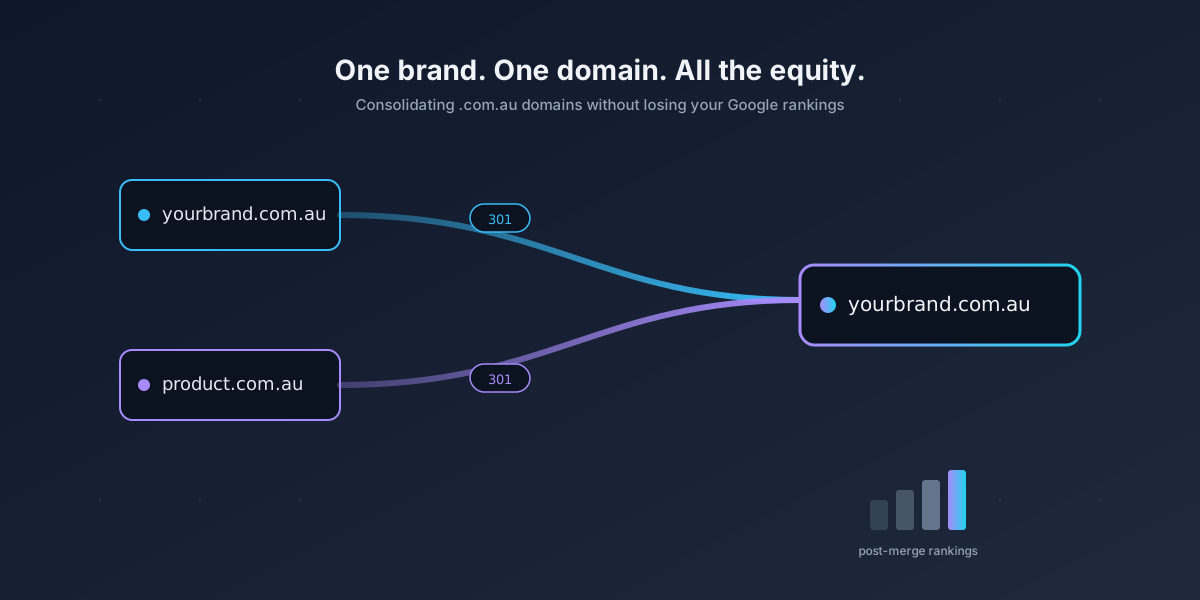
If you own more than one .com.au domain, the auDA board just handed you a project you did not ask for. The 2026 policy change means every .com.au and .net.au registration has to match a matching business name or trademark. For a lot of Australian businesses that means one of two things: register a new ASIC entity purely to keep a domain alive, or consolidate the domains you already have onto a single eligible entity and retire the rest.
If you are choosing the second path, this article is for you. Merging domains is one of the most common ways to lose organic traffic overnight, and it is also one of the most avoidable. Here is the playbook we walk our partners through.
Table of Contents
Step 1: Pick the survivor, and be honest about why
The biggest mistake we see is founders picking the surviving domain based on which name they like better. Google does not care which one you like better. Pick based on data, in this order.
Domain age. Older is usually stronger, but only if it has been actively used. A domain that has been parked for five years is not older in any meaningful sense.
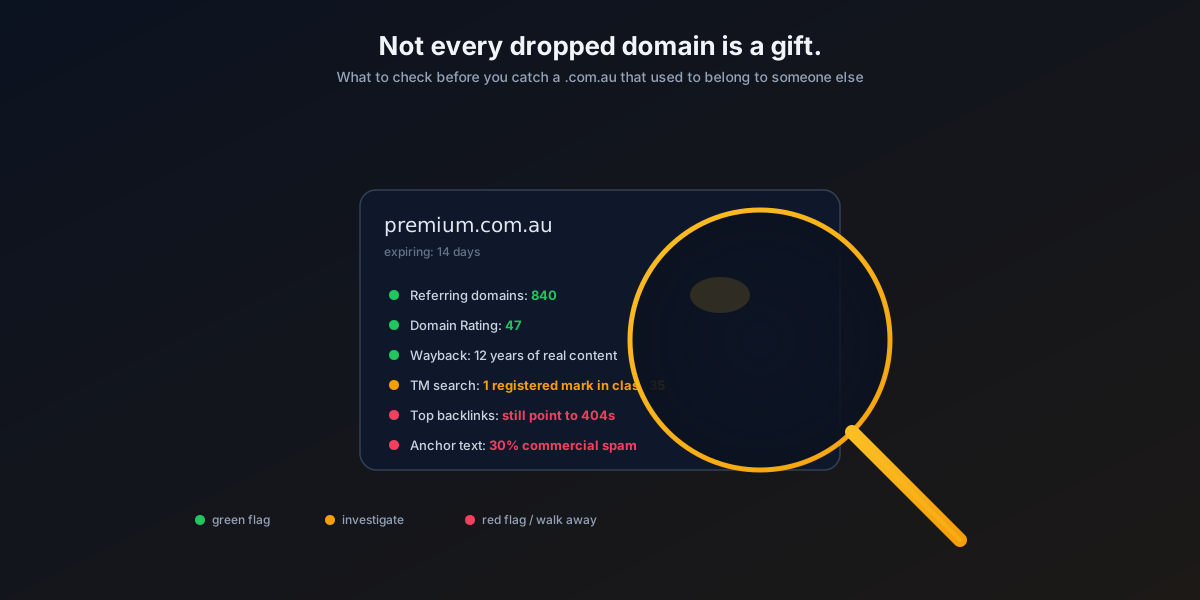
Backlink profile. Run both domains through Ahrefs, Semrush, or a free tool like the Moz Link Explorer. Count referring domains, not total backlinks. Fifty links from fifty different sites is worth more than five hundred links from one site.
Existing organic traffic. Look at Search Console for the last twelve months on both properties. The one bringing in real clicks is almost always the one to keep.
Exact-match brand value. If one domain matches your registered business name and the other does not, that decision has already been made for you under the new auDA rules. See our breakdown in auDA’s 2026 eligibility rules and your three options.
If the “wrong” domain wins on the data, keep it and rebrand. Yes, that is a bigger project. It is still cheaper than starting a new ranking curve from zero. Our rebranding use case walks through what that actually looks like on the BrandForge platform.
Step 2: Build a URL-level redirect map before you touch anything
This is where most migrations die. People set up a single wildcard redirect from oldsite.com.au to newsite.com.au and call it done. Google treats that as a soft 404 for every page except the homepage. You lose everything.
Instead, export a full URL list from both domains. Screaming Frog, Sitebulb, or a fresh Search Console export all work. Then map every single old URL to its closest match on the new domain, one to one. If there is no equivalent page, map it to the most relevant category page. Never map more than a handful of pages to the homepage.
A good map looks like this:
oldsite.com.au/services/plumbing → newsite.com.au/services/plumbing
oldsite.com.au/blog/hot-water-guide → newsite.com.au/blog/hot-water-systems
oldsite.com.au/about → newsite.com.au/about-us
A bad map looks like this:
oldsite.com.au/* → newsite.com.au/Do not do the bad one.
Step 3: Implement 301s at the server, not the CMS
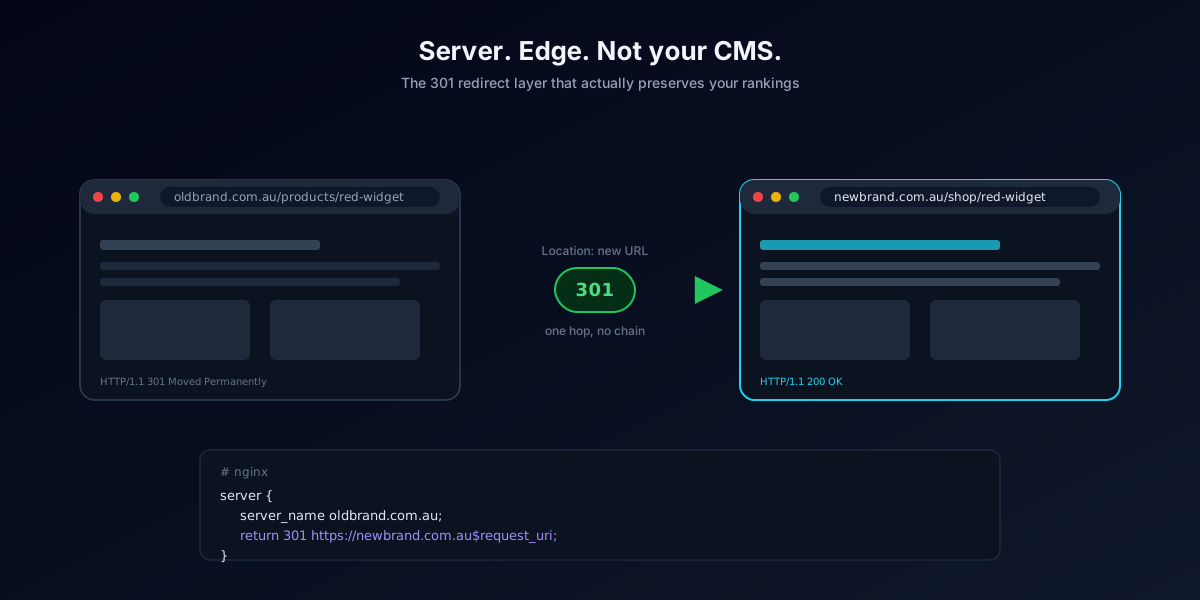
Server-level redirects (Nginx, Apache, Cloudflare) are faster, cheaper, and do not depend on your CMS being up. Put them there.
If the retiring domain used to run WordPress and you are shutting down the hosting to save money, park the domain on a lightweight redirect service or a static Cloudflare Worker. Do not let the domain go dark. A dead domain sends visitors and Googlebot to a registrar landing page, which is worse than useless. We cover the mechanics in the full 301 redirect playbook for domain migration.
Step 4: Use Search Console’s Change of Address tool
For each retiring domain, verify both the old and new property in Google Search Console, then submit the change of address. This is a signal, not a magic wand, but it does reduce the crawl lag noticeably. Bing has an equivalent tool in Bing Webmaster Tools. Use both.
Submit fresh sitemaps on the surviving domain the same day. Do not wait for Google to find things on its own.
Step 5: Rewrite internal links at the source
Every link inside your old content that pointed to oldsite.com.au should be updated to point to newsite.com.au directly, not through a redirect. Redirect chains cost you crawl budget and shave a small amount of link equity at each hop.
Do a search-and-replace in the database once the migration is stable. If you are on WordPress, plugins like Better Search Replace do this cleanly. Test on staging first.
Step 6: Rebuild your off-site presence
Redirects handle Google. They do not handle:
- Google Business Profile listings
- Local directories (True Local, Yellow Pages, Yelp AU, industry directories)
- Social profiles (link in bio, about sections)
- Email signatures across the whole team
- Any print material, invoices, quotes, or vehicle signage
- Third-party integrations that call your domain
Make a list. Work through it. This is the unglamorous half of the project and it is the half that determines whether people actually find you at the new address.
Step 7: Keep the redirects live forever
Google’s official line has softened over the years. In practice you should keep 301s live indefinitely. Renewing the old domain for another five or ten years at fifteen dollars per year is trivial insurance against losing the redirects and the backlinks they carry.
If you must let a domain drop, wait at least twelve months after the migration, and only after checking that no significant referring domains still link to it.
What to expect on the traffic curve
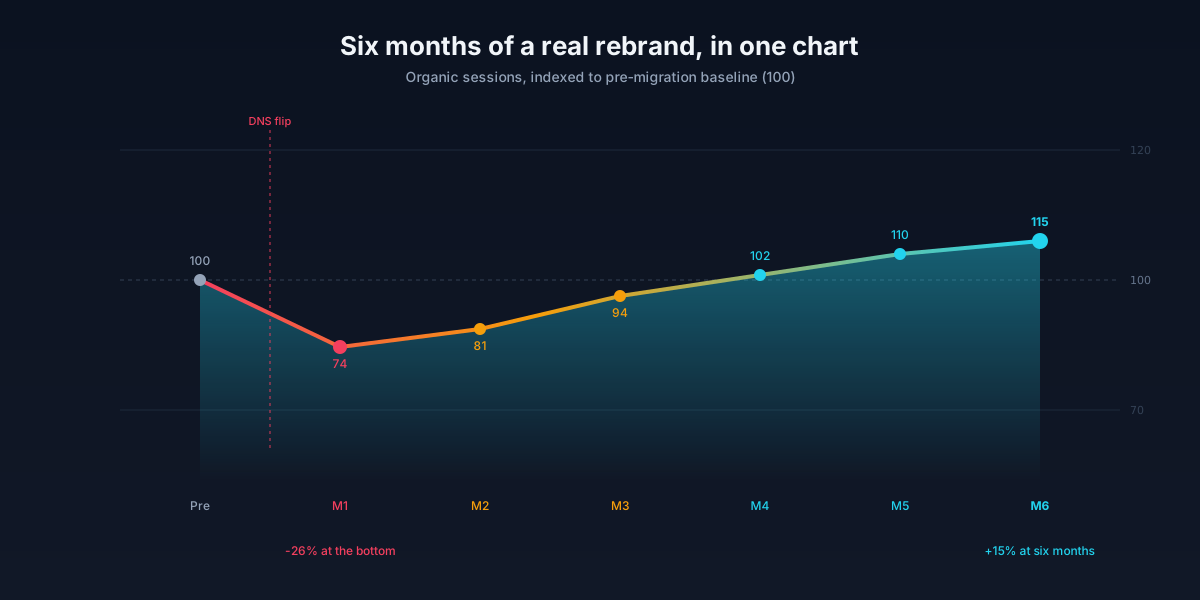
Even a well-executed merge will show a dip. Two to six weeks of noise is normal while Google reprocesses the redirects and the new URLs settle. If you are still down after ninety days, something is wrong. Common culprits: redirect chains, a robots.txt that blocks the new domain, canonical tags still pointing to the old URLs, or a large chunk of URLs mapped to irrelevant destinations.
Where BrandForge fits in
If the surviving domain needs a new brand identity because the retiring domain was the one carrying your brand name, that is exactly what we built BrandForge for. Feed the domain in, get a full brand kit, logo variants, colour system, and a ready-to-publish website out the other side. Our partners use it to turn a forced auDA migration into a proper rebrand in an afternoon rather than a six-week agency engagement.
If you are a registrar or hosting partner looking at hundreds of clients who will need this help, our registrar partner program is set up for exactly that scenario.